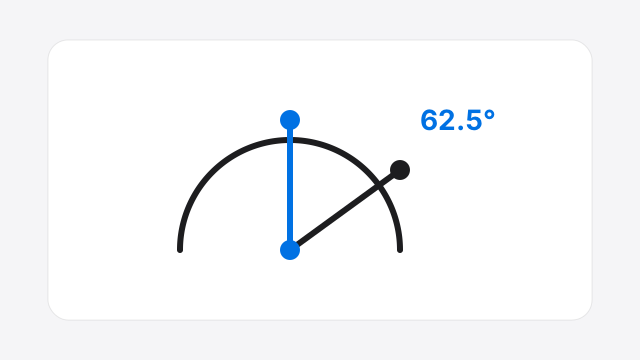
Drag-to-measure arms
Place the center on the vertex and drag each ray. Live degrees update as you move, with optional 5°, 15°, or 45° snap so a free online protractor feels steady on common angles.
A free protractor on your screen: drag the center to a corner, align the two arms, and read the degrees. Upload a photo to measure angles in a picture—everything stays in your browser.
Online protractor
Move the whole disc, rotate the rim, resize with side handles, then click to pin rays from the center and read the angle. Upload a photo to measure on an image.
Like a real protractor: drag the blue center to a corner, drag therim to rotate, side ↔ handles to resize, then click to pin rays and read the angle. Delete removes the last pin · Shift+drag pans a photo.
Real-world scale (optional)
Enter a known length, mark 2 points on the photo — arm length can show in real units.
Scale inactive
Photos and measurements stay in your browser for this tool. We reimplemented pro features in-house (not a paste of another site’s private code).Privacy
Features
Built as a focused protractor tool for real tasks: classroom diagrams, design screenshots, DIY photos, and quick geometry checks—not a download wall or ad maze.
Place the center on the vertex and drag each ray. Live degrees update as you move, with optional 5°, 15°, or 45° snap so a free online protractor feels steady on common angles.
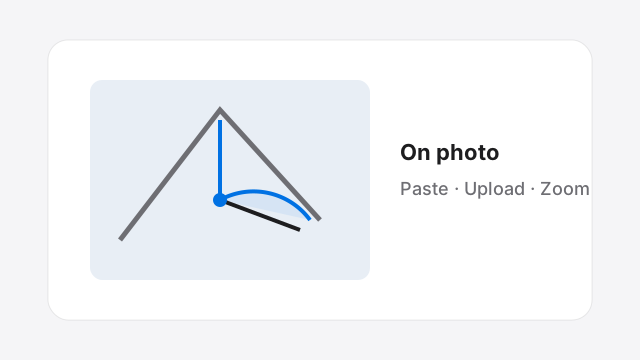
Upload a file or paste a screenshot, then pan and zoom. This is the everyday screen protractor workflow when the angle lives in a photo, PDF page capture, or UI mockup.
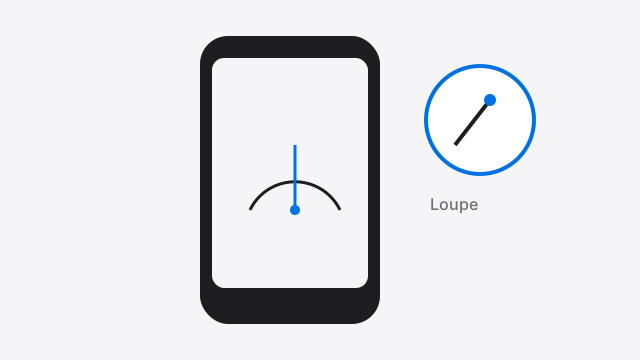
On small screens, a magnifier appears while you drag handles so fingers stop blocking the vertex—one reason this protractor tool aims to feel better than bare-bones online protractors on phones.
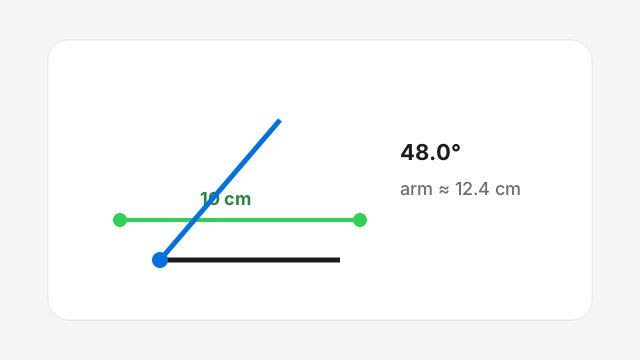
Calibrate with a known length in the photo. Beyond pure angle measure, the protractor tool can show arm length in cm, mm, in, or m for DIY and site photos.
Definition
An online protractor is a browser-based virtual protractor you use to measure angles on a screen, diagram, or photo without a plastic tool. A good protractor tool lets you set a vertex, align two sides, and read degrees immediately—often with image upload so you can measure angle on image files from schoolwork, architecture drafts, or crafts.
Unlike a shopping result for a digital protractor gadget, ProtractorTool is software that runs as a free online protractor in Chrome, Safari, Firefox, and Edge. It is also a practical screen protractor: when you cannot print a PDF or place a physical tool on the monitor, you overlay this online protractor on a screenshot instead.
People also search for virtual protractor, free online protractor, and protractor tool online—the same job with different words. This page is that job: measure angles quickly, keep privacy simple, and export a result you can share.
How to
Three steps cover almost every use of the protractor tool above.
Stay on this page. The protractor tool loads in your browser—no install and no account.
Upload an image or paste a screenshot, then pan and zoom so the angle fills the view.
Drag the center to the vertex and each arm along a side. Snap helps common angles; copy or export when done.
Tips: turn snap off for odd angles; use 360° mode when the smaller interior angle is not what you need; export PNG if a teacher or teammate wants proof of the reading from your online protractor session.
Why ProtractorTool
The online protractor is ready in the first screen. You are not forced through accounts, installers, or long marketing before you can drag an arm.
Paste support and pan/zoom make measure-angle-on-image work feel natural for a modern screen protractor workflow.
Angle math and image pixels stay in the browser for the tool itself. We do not pretend a free online protractor needs your photo library on a server.
Loupe magnifier and large handles reduce the usual pain of using a protractor tool with a thumb on a small display.
Pro tips
Use cases
Scenario: worksheet photo. Method: upload, 180° mode, snap 5°.Output: degree labels to check acute/obtuse answers with an online protractor.
Scenario: diagonal icon or chart. Method: paste screenshot, snap off.Output: precise degrees for handoff—classic screen protractor job.
Scenario: miter or roof photo. Method: upload, set scale on a tape measure in frame. Output: angle plus rough real length from one protractor tool session.
Scenario: classroom display. Method: blank canvas or diagram image, large readout. Output: live virtual protractor demo without plastic tools for every student.
FAQ
Straight answers about this free protractor tool, privacy, and measuring angles on photos.
Yes. ProtractorTool is a free online protractor and protractor tool with no account and no install. You can measure angles, upload photos, paste screenshots, copy the degree reading, and export a PNG without paying.
Upload an image or paste a screenshot (Ctrl/⌘+V), drag the protractor center to the angle vertex, then drag each arm to match the two sides. The online protractor shows the degrees live. Zoom with the scroll wheel and pan by dragging empty image areas.
No. This protractor tool runs in a modern browser on desktop or phone. You do not need a native app, printer, or browser extension to measure angles online.
Images and screenshots are processed only in your browser for this online protractor session. They are not uploaded to ProtractorTool servers for angle calculation. See our Privacy Policy for analytics and hosting details.
Yes. The screen protractor works on mobile browsers. While you drag a handle, a loupe (magnifier) appears so your finger does not hide the vertex—designed to make phone measuring less frustrating than basic tools.
180° mode matches a classic semicircle protractor and reports the smaller interior angle for everyday geometry. 360° mode supports full-circle readings when you need direction-style or reflex angles. Switch modes from the toolbar above the canvas.
Accuracy depends on image resolution, perspective, and how carefully you align the arms. For homework diagrams and design screenshots this free online protractor is usually excellent. For certified engineering, medical, or construction sign-off, use calibrated physical instruments—browser pixels are not a legal metrology standard.
Set scale lets you mark a known real-world length on the image (for example 10 cm on a ruler in the photo). After calibration, the protractor tool can express arm length in cm, mm, in, or m—not only pixels—so DIY and construction photos become more useful.
Yes. Use Copy angle for the current degrees, or Export PNG to download the canvas with your online protractor overlay for notes, homework, or design review.
Both terms fit. It is a virtual protractor you use in the browser and a digital protractor tool with snap, image background, scale, and export. It is not a shopping page for a physical Mitutoyo-style device.
Ready
Open the free protractor tool, align the arms, and copy your angle. Photos stay in the browser while you measure.
Start measuringHelp improve ProtractorTool — bugs, ideas, or questions are welcome.
Thanks — we received it.